
Chronicle
Turning human-AI collaboration into structured, insightful documentation of decisions, reasoning, and execution.
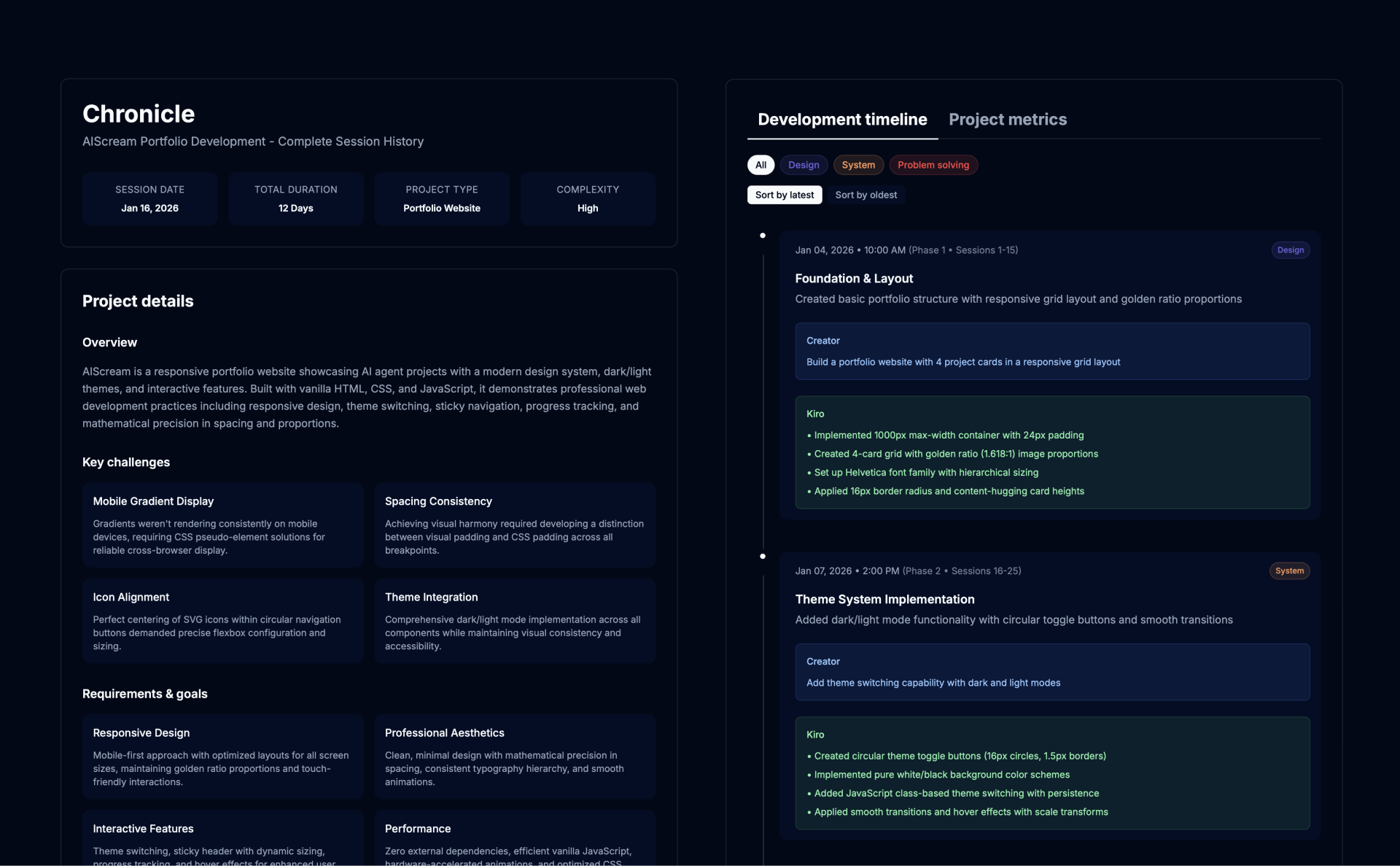
TL;DR
Chronicle is an AI agent that automatically turns collaborative chat sessions into polished HTML reports—capturing key decisions, insights, and outcomes so nothing gets lost in chat history. It includes single-file, zero-dependency deployment, three professional themes, a real-time metrics dashboard, pattern recognition, and interactive report navigation (filter/sort/timeline).
Key Features
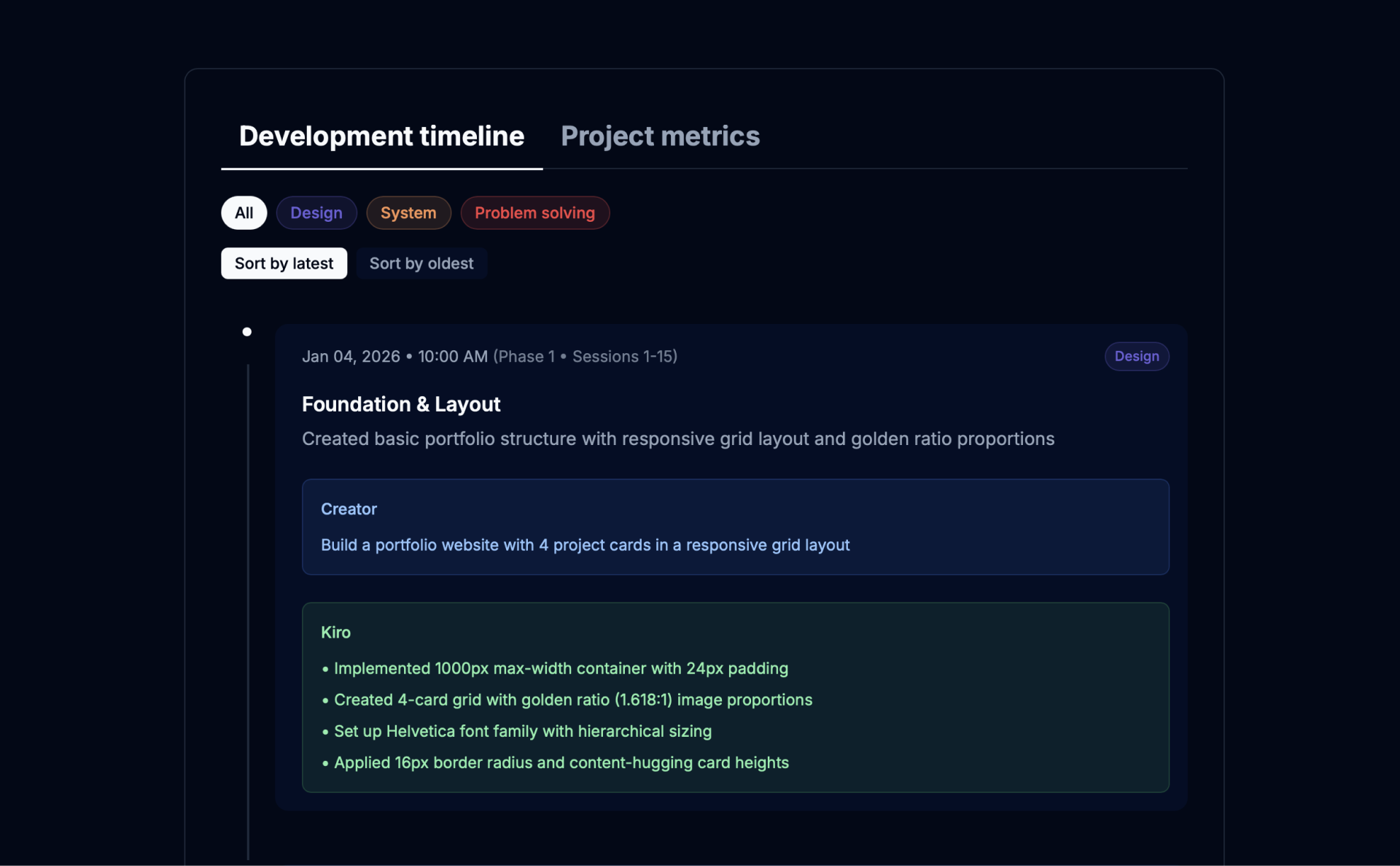
Session History Capture
Complete session history with accurate timestamps, automatically categorizing interactions into Design, System, and Problem-Solving categories.
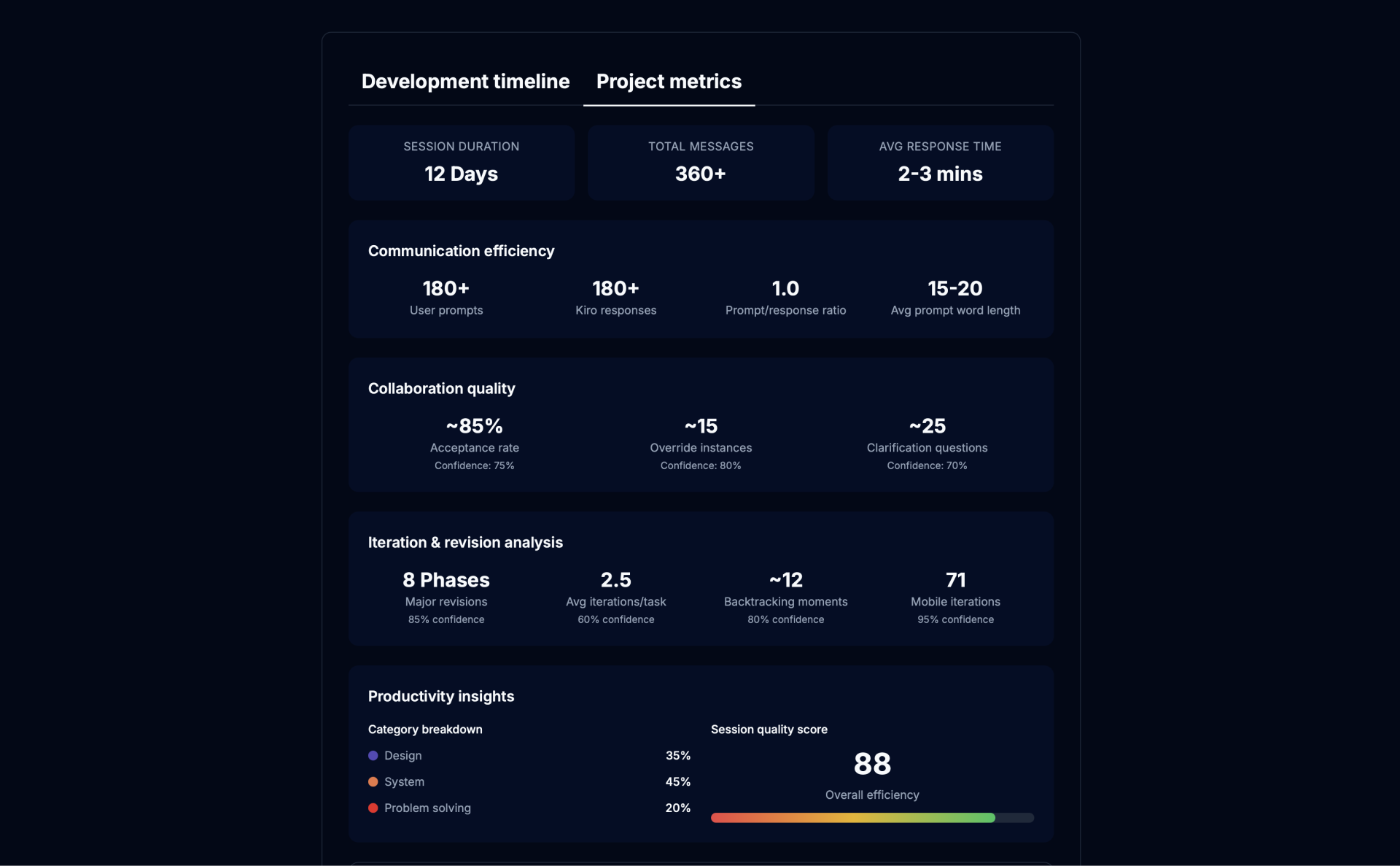
Metrics Dashboard
Track collaboration patterns across Communication Efficiency, Collaboration Quality, Iteration Analysis, and Session Overview.
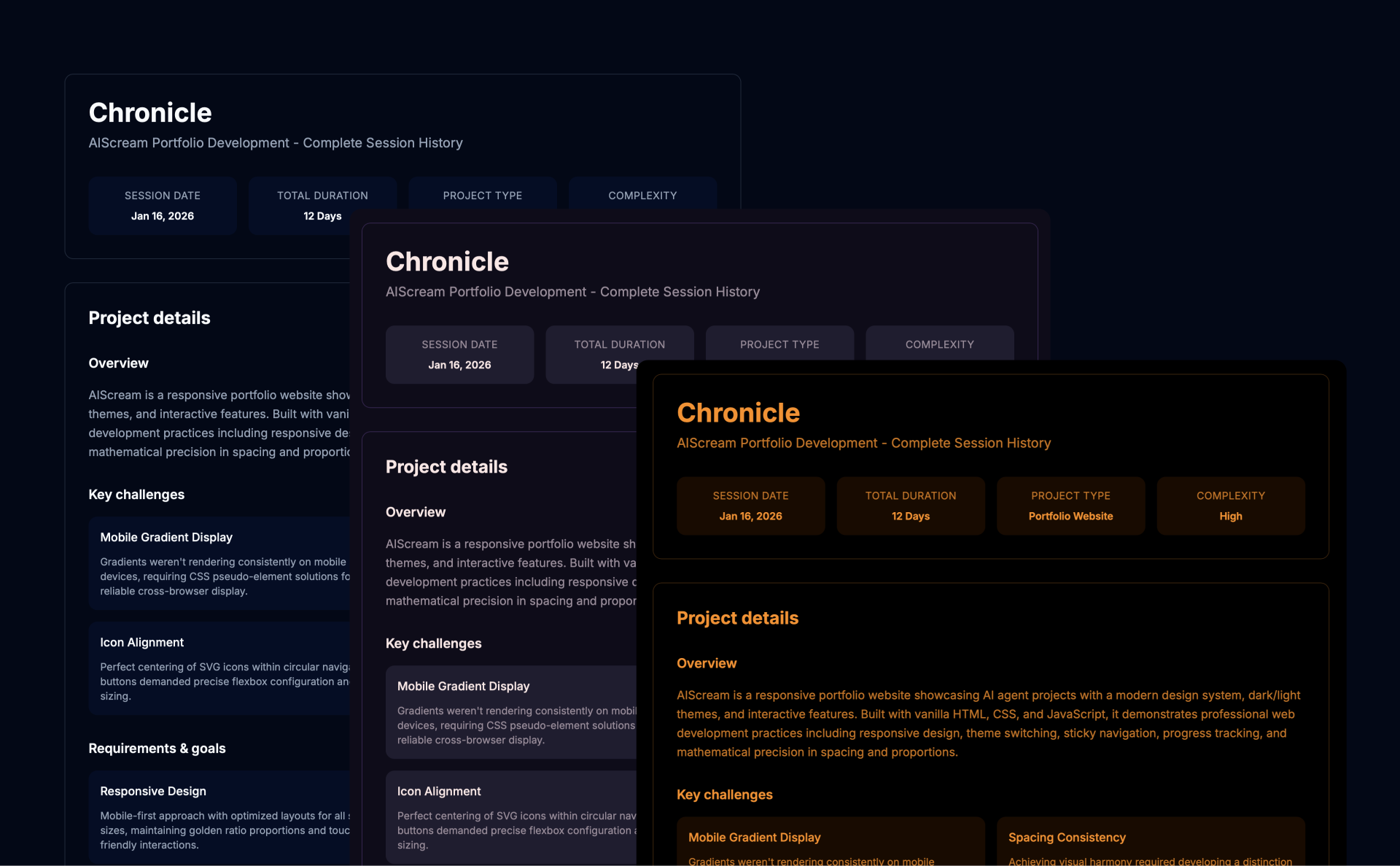
Professional Themes
Three beautiful themes (Default, Eva 01, Central Dogma) providing consistent visual output through a locked template system.
Zero Dependencies
Everything in a single 50KB file—HTML, CSS, JavaScript, and templates—enabling one-file deployment to any workspace.
Use Cases
Why I Built This
After using Kiro across 6–8 projects, I realized it was difficult to revisit work retrospectively without digging through long chat histories. Each project typically spans 5–6 separate sessions, but there was no way to stitch them into a coherent narrative, and context didn't carry over between sessions—breaking continuity and losing key decisions over time. I built Chronicle to turn fragmented conversations into structured documentation, give me a holistic view of how a project evolved, and surface productivity metrics to validate whether Kiro was actually improving my efficiency.
Impact & Scalability
Chronicle delivers enterprise-grade impact in a lightweight footprint: ~2,390 lines of code packaged into a 50KB single-file solution with three professional themes and 12+ tracked metrics. It eliminates 30–60 minutes of manual documentation per session through instant report generation and automated pattern recognition. A locked template system guarantees identical visual output across workspaces, ensuring consistent quality at scale. For individuals, it preserves chat-derived knowledge and accelerates learning by surfacing effective approaches. For teams and organizations, it standardizes documentation, improves onboarding, captures institutional knowledge, supports compliance via audit trails, and proves ROI through measurable collaboration metrics—enabled by zero-config deployment, real-time dashboards, and responsive interactive reports.
Learnings From Building
- Single-file + locked templates = consistent output (AI struggles with external refs).
- Interactivity boosts engagement (filters/sort/themes make docs explorable).
- Use rename-based versioning to keep repos clean while preserving Git history.
- Embedded > modular for agent tools — fewer dependencies, more reliable.
- Treat hooks like production code (versioning, previews, rollback-ready).
- Layer documentation: quick-start, dev details, QA checklist.
- Prioritize maintainability over minification — modern browsers handle ~50KB easily.